
Does zipBoard show real-time updates on comments?
Yes. When you or a collaborator makes a change on a shared asset, a green "New Updates" button appears for anyone else viewing that same asset letting them pull in the latest activity without reloading the whole page.
When multiple stakeholders review the same document or media file simultaneously, keeping track of incoming feedback can feel chaotic. Traditional review tools force you into an uncomfortable trade-off: manually refresh the browser and risk losing what you’re doing, or work on outdated information.
The zipBoard Real-Time Sync solves this by giving you full control over when to pull in new activity, ensuring you stay synchronized without breaking your workflow.
The Problem with Traditional Refreshing
In fast-paced collaborative reviews, relying on standard page refreshes creates friction:
Lost Drafts & Comments |
Context Interruption |
Wasted Time |
The Problem with Traditional Refreshing
In fast-paced collaborative reviews, relying on standard page refreshes creates friction:
- Lost Drafts & Comments: Refreshing the page while typing a detailed comment wipes out your unposted text, forcing you to start over.
- Context Interruption: Auto-refreshing UIs jump around or re-render drawings right while you are pinpointing a specific mark, causing accidental misalignments or lost visual focus.
- Wasted Time: Reloading heavy assets wastes bandwidth and slows down your review speed.
ZipBoard Real-Time Sync
|
A
|
John
Aug 10, 6:28 PM
add highlight
|
|
A
|
John
Aug 10, 6:28 PM
use bold
|
Instead of force-refreshing your workspace or auto-injecting changes that disrupt your view, zipBoard uses on-demand background synchronization. You get an immediate visual indicator when a teammate adds feedback, but your workspace stays locked exactly as it is until you choose to load those changes. This guarantees you never lose typed text, jump positions on a page, or lose your train of thought.
How it works
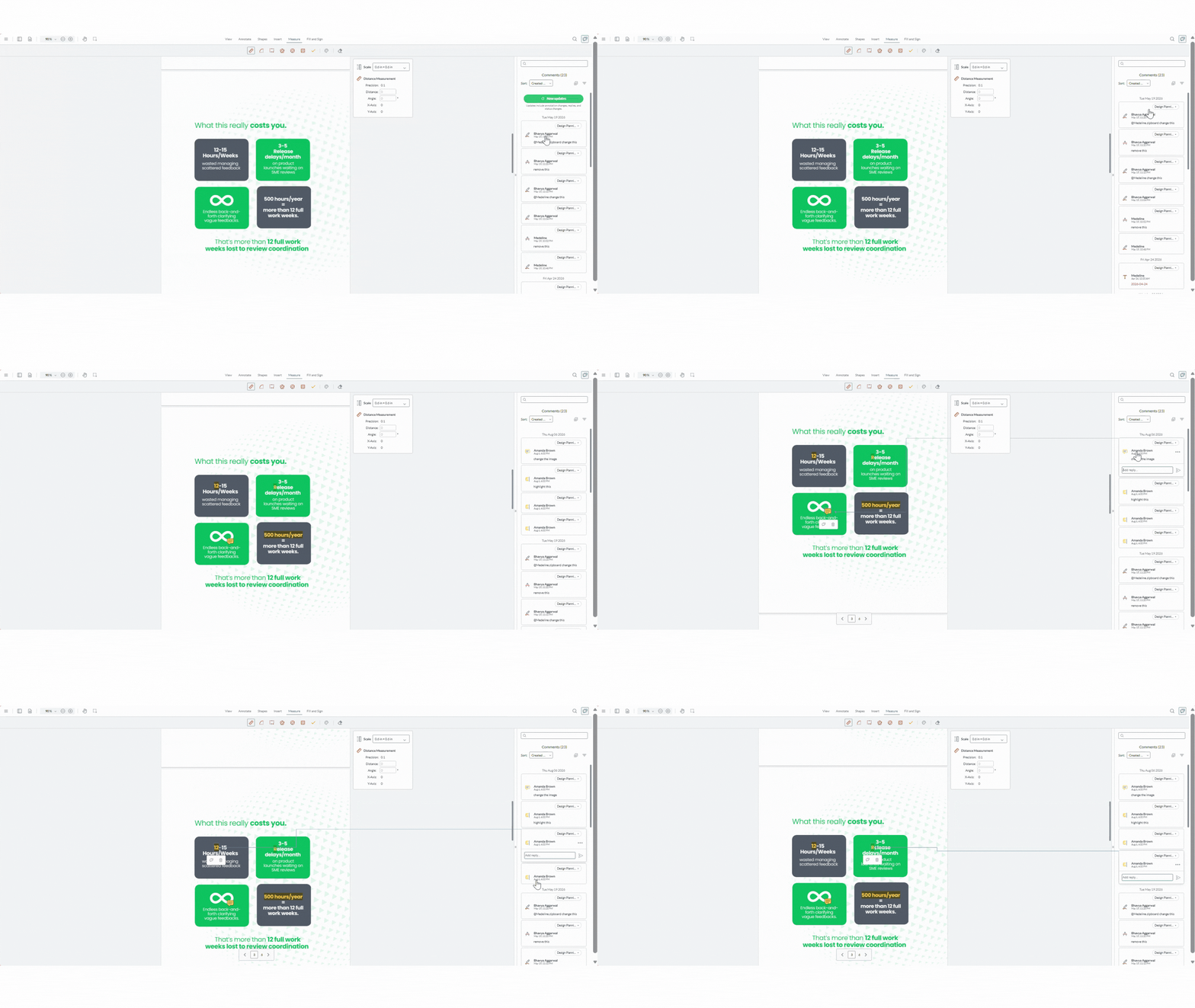
- Open any shared asset (PDF, Image, Video, URL, Audio, or ZIP) in the zipBoard reviewer.
- If a teammate makes a change while you're viewing the same asset, the "New Updates" button appears above the comment panel.
- Click it to load the latest changes into your view.
- Until you click it, your view stays exactly as it was — nothing is auto-inserted or removed out from under you.
What counts as an update
- Annotation changes : new, edited, or deleted annotations/comments
- Replies : new replies on an existing comment thread
- Status changes : a change to the asset's review status (Changes Requested, Feedback Given, Approved, Review Complete)
Use Cases
1. Architecture, Engineering & Construction (AEC) Teams
An architect, structural engineer, and client are reviewing a 50-page construction drawing set at the same time. While you are marking up a plumbing clash on sheet 12, the structural engineer might be approving details on sheet 30. Rather than having the blueprint re-render mid-annotation, the "New Updates" button lets you finish your precise markup first, then update your view to see the engineer’s latest changes across the document set.
2. eLearning Authors & eLearning Authors
A technical writer is reviewing software documentation or SCORM modules alongside QA testers, subject matter experts (SMEs), and product managers. SMEs often leave feedback simultaneously during launch sprints. As a technical writer drafting complex remediation notes, you can write out your full response without fear that a incoming SME comment will wipe out your text field or shift your scroll position.
Frequently Asked Questions
1. What is zipBoard Real-Time Sync and how does it work?
zipBoard Real-Time Sync is an on-demand background synchronization feature. When you or a collaborator make changes to a shared asset, a green "New Updates" button appears above the comment panel for everyone else currently viewing that file. Clicking the button loads the latest activity into your view instantly without reloading the entire web page.
2. Will my in-progress comments or drawing markups be lost when new feedback comes in?
No. Unlike traditional tools that auto-refresh or auto-inject changes, zipBoard keeps your workspace locked exactly as it is until you choose to click the "New Updates" button. Your unposted drafts, active text fields, scroll positions, and visual focus remain completely untouched.
3. What specific activities trigger the "New Updates" button?
The button appears whenever a collaborator performs any of the following on the same asset:
- Annotation changes: Creating, editing, or deleting visual markups, pins, or comments.
- Replies: Adding a new reply to an existing discussion thread.
- Status changes: Updating the asset review status (e.g., Changes Requested, Feedback Given, Approved, or Review Complete).
4. Does clicking "New Updates" reload the entire document or heavy media file?
No. Clicking the button performs a lightweight fetch that only updates the comment panel and annotation layer. Heavy assets, such as 50-page PDF drawing sets, high-res images, video files, live URLs, audio, or complex SCORM/ZIP packages, do not reload, saving bandwidth and preventing screen flickering.
5. Which file types support Real-Time Sync?
Real-Time Sync works across all supported asset formats in the zipBoard reviewer:
- PDFs
- Images
- Videos
- URLs
- Audio files
- ZIP / SCORM packages
Learn More about Real-Time Sync
- What is the Best Way to Run Real Time Reviews with External Clients? - zipBoard Help
- What to do if comments aren't updating live? - zipBoard Help
- Do external clients need an account to collaborate in real-time? - zipBoard Help
- What happens if an annotation is edited or deleted while I'm replying? - zipBoard Help
- How does the New Updates button differ from the zipBoard email notification? - zipBoard Help
- How do real-time updates work with active filters and sort orders? - zipBoard Help