
What is the best no-install tool for website visual design reviews?
For creative agencies, web development teams, and product managers, the ideal solution is a browser-first visual review platform. By utilizing a cloud-based dashboard like zipBoard, you can layer a dynamic, interactive whiteboard directly over your live web pages. Reviewing live web pages uses the free zipBoard browser extension; PDFs, images, videos and zipped HTML files need no install.
The Cost of Traditional Review Friction
Manually managing website revisions traditionally introduces severe operational bottlenecks:
- The Extension Wall: Forcing clients, internal executives, or external subject matter experts (SMEs) to install a specific browser extension just to look at a design causes immediate adoption resistance.
- Ambiguous Text Threads: Descriptive feedback like "The hero image looks weird on smaller screens" triggers an inefficient back-and-forth chain of emails trying to figure out the user's specific viewport layout.
- Disconnected Bug Trackers: Static screenshots pasted into Slack or standalone project software lose their context, forcing developers to log in somewhere else to hunt down the source code or URL paths.
3 Ways Browser-First Visual Reviews Speed Up Production
By switching to a completely unified, web-based visual review workflow, you change how feedback is captured, assigned, and resolved.
1. Launch a Zero-Friction Web Canvas with One Link
Stop letting feedback drift across scattered communication channels. Centralize your web pages, staging environments, and digital mockups in a shared dashboard.
Add your live website URL or staging path directly into your active project workspace. With the free zipBoard browser extension, the system loads the live environment inside the browser, transforming the page into a secure, collaborative canvas where anyone can point-and-click to leave explicit, localized sticky notes.
2. Leverage "No-Login" Guest Review Interfacing
An automated review loop is only effective if your stakeholders can access the file instantly without hitches.
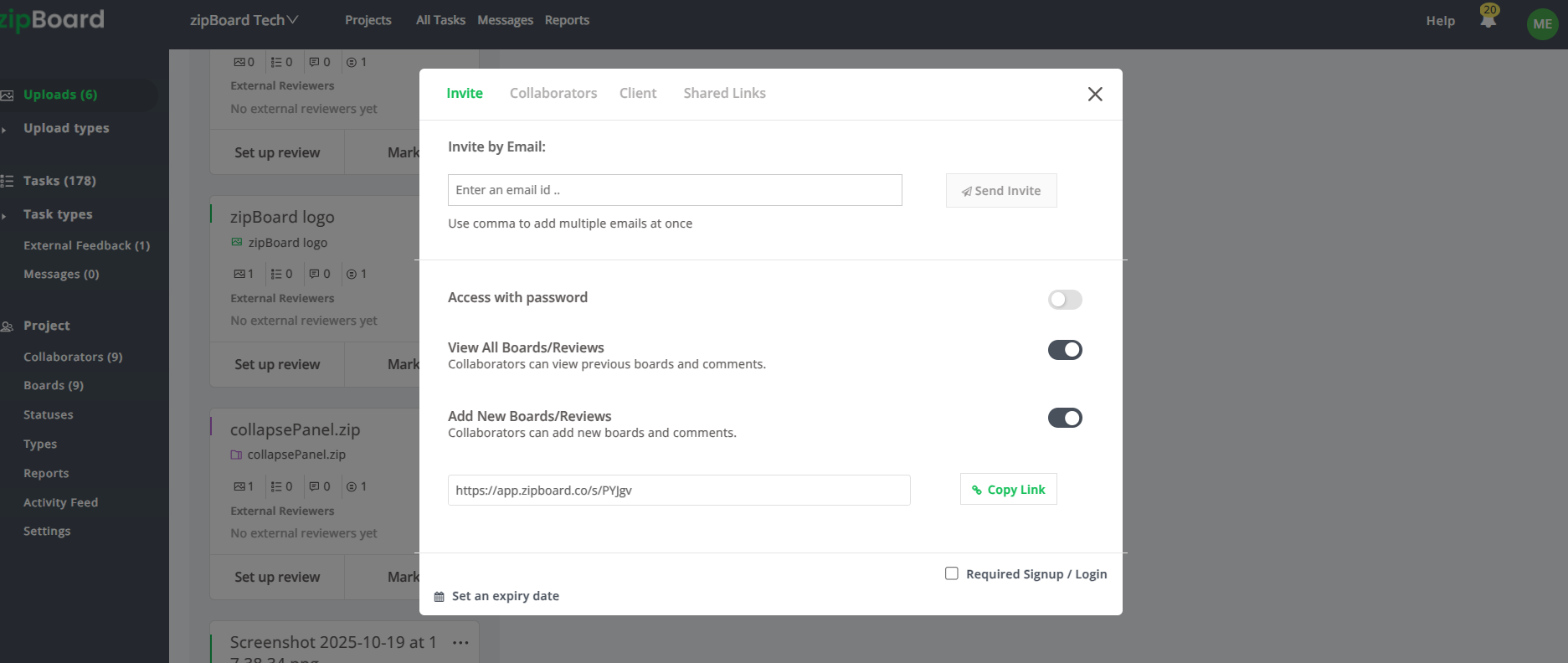
Configure your project canvas parameters to generate a secure, external-facing share link. This provides external clients and non-technical stakeholders with a frictionless, no-login experience. They simply click the link and immediately enter the live web review session directly inside their web browser, no account signup or profile retrieval required (live website reviews need the free zipBoard browser extension).
3. Track Issues via an Integrated Task Board
Eliminate the need to audit separate spreadsheets or copy comment threads into an external issue tracker.
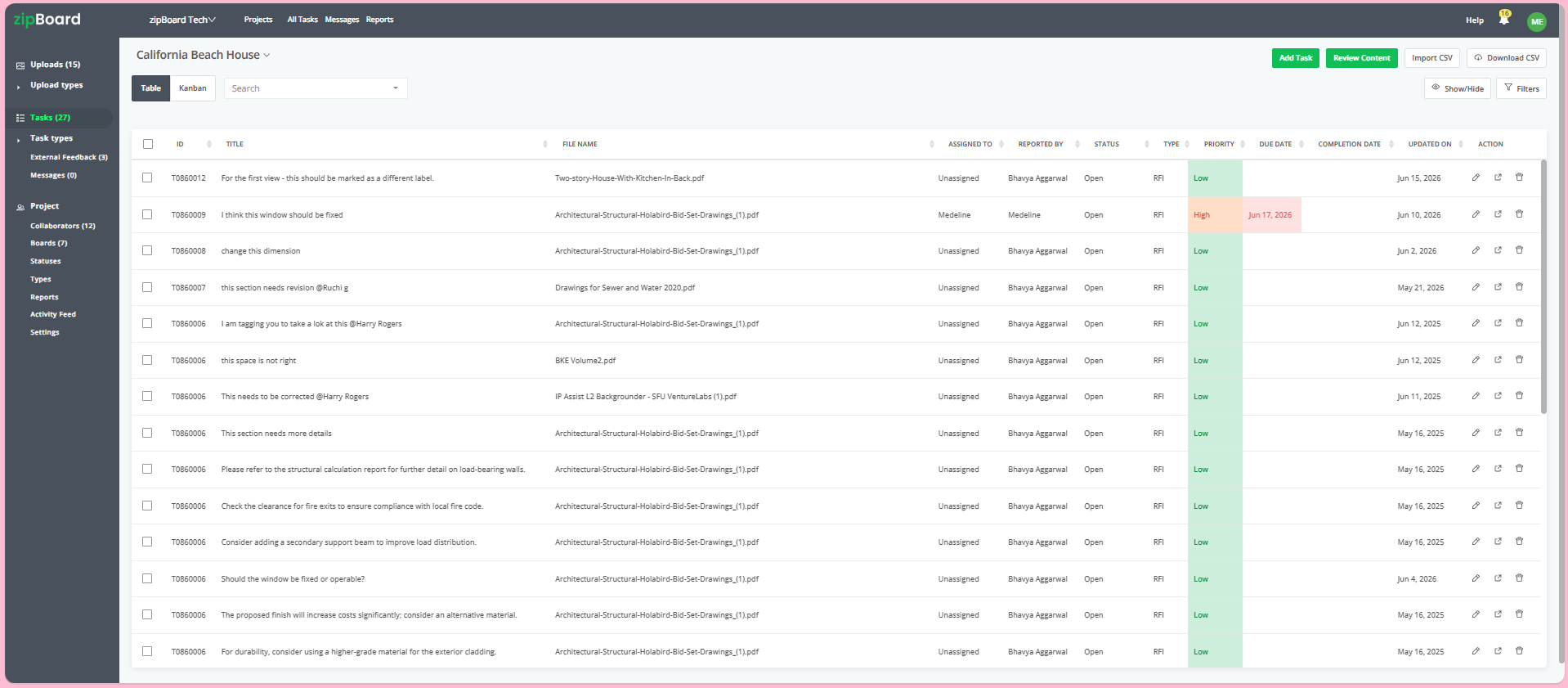
Every markup, highlighter stroke, or visual pin placed directly on the live document canvas automatically populates as a structured, trackable issue row in a unified sidebar. You can instantly assign owners, add custom tags, and track progression states across built-in Kanban or Table layouts.
Frequently Asked Questions (FAQ)
Can we safely review confidential or pre-release staging URLs using no-login guest links?
Yes. While external-facing links remove the barrier of forcing guest reviewers to register an account, you retain tight operational control. You can restrict active link parameters, enforce strict password protection, or set hard link expiration dates instantly from your project dashboard to keep your internal pre-release infrastructure safe.
Does the canvas capture interactive page elements like popups and drop-down menus?
Yes. Because the platform renders the target directly inside a live browser viewport, reviewers can freely interact with the live site. Reviewers can scroll, open responsive menus, and record video or snap localized screenshots directly over the active UI elements to show complex transactional glitches.
What happens to open annotations and tasks when a web page is updated to a new version?
All historical design context is securely preserved. When an updated version is stacked inside the asset interface, your previous comments and visual pins are archived in a chronological version ledger. Team members can toggle back and forth between previous design states at any time to verify regression changes and review the structural audit history.