
How do I ensure my QA team is looking at the latest staging URL version?
To establish an airtight QA pipeline, you need to embed version transparency directly into your testing and document review environment. Here is how to ensure your team is always looking at the exact staging URL version they should be
New Feature! When a new file version is uploaded, zipBoard automatically resets previous approvals and flags the file, moving it back to "Needs my review" in your My Work section, so reviewers are instantly alerted that a fresh version is ready! find more about the feature: https://zipboard.co/track-all-your-pending-document-and-content-reviews-in-one-place/
Why QA Version Desync Happens
Testing the wrong build version is rarely a result of poor attention to detail. It is usually caused by systemic gaps:
- Overlapping Deployments: In rapid development cycles, multiple pull requests might be merged in quick succession, making it difficult to track exactly which commit is currently live on a shared staging server.
- Isolated Deployment Logs: Release logs typically live in CI/CD tools (like GitHub Actions, GitLab CI, or Jenkins). Forcing QA testers to leave their execution dashboard to audit a deployment pipeline break testing momentum.
4 Ways to Guarantee Version Alignment
By shifting from manual status updates to an asset-driven, automated workflow, you can eliminate version ambiguity entirely.
1. Centralize Dynamic Staging URLs as Active Project Assets
Stop letting staging links float loosely in pinned Slack messages or outdated documentation pages where they are easily ignored.
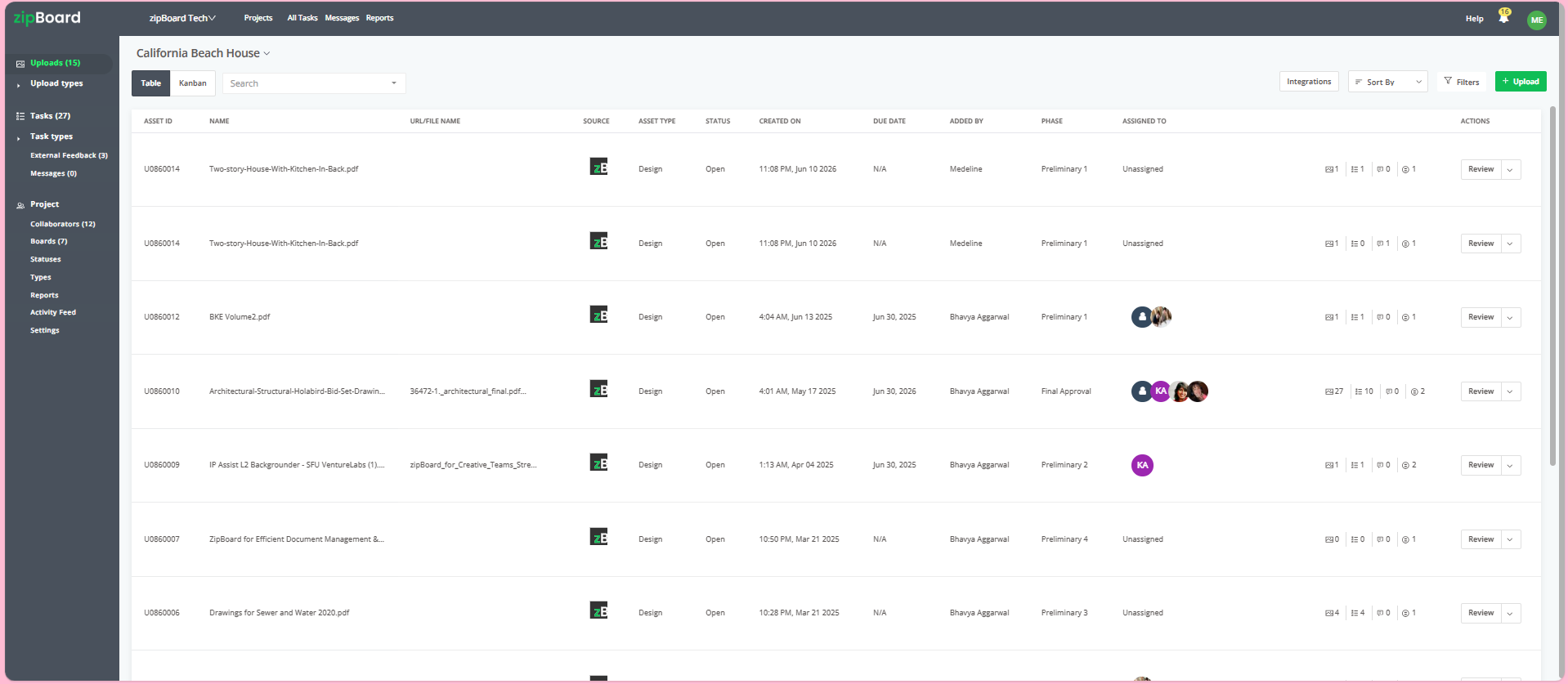
Treat your staging URL as a dynamic asset within a centralized workspace like zipBoard. When a new build goes live, update the central asset link or upload the latest staging target directly to your testing project hub. This establishes a single, unchangeable source of truth that the entire QA team pulls from.
2. Bypass Account Friction with One-Click Canvas Access
If accessing the latest staging build requires logging into multiple environment managers, testers will often reuse old, cached tabs instead.
Configure your project hub to generate secure, browser-first review links. When QA engineers open the task or asset canvas, the platform launches the live staging URL directly inside their web browser overlay. They enter a fresh, uncompromised testing environment instantly without needing to manually copy-paste links or retrieve complex credentials.
3. Maintain an Immutable Version Audit Trail
Eliminate the need to cross-reference Git commit hashes or email threads to prove what version a bug was found on.
Use a centralized asset sidebar to track the live lifecycle of the staging target. When developers push a critical hotfix, stack the update directly on top of the existing asset profile as a new version. This automatically archives historical feedback, logs the exact timestamp of the update, and visibly alerts the QA team that a fresh version is ready for validation.
4. Turn Visual Capture Into Context-Rich Bug Tickets
When QA engineers do surface an issue, don't rely on broad descriptions that force developers to guess which build version or browser state produced the bug.
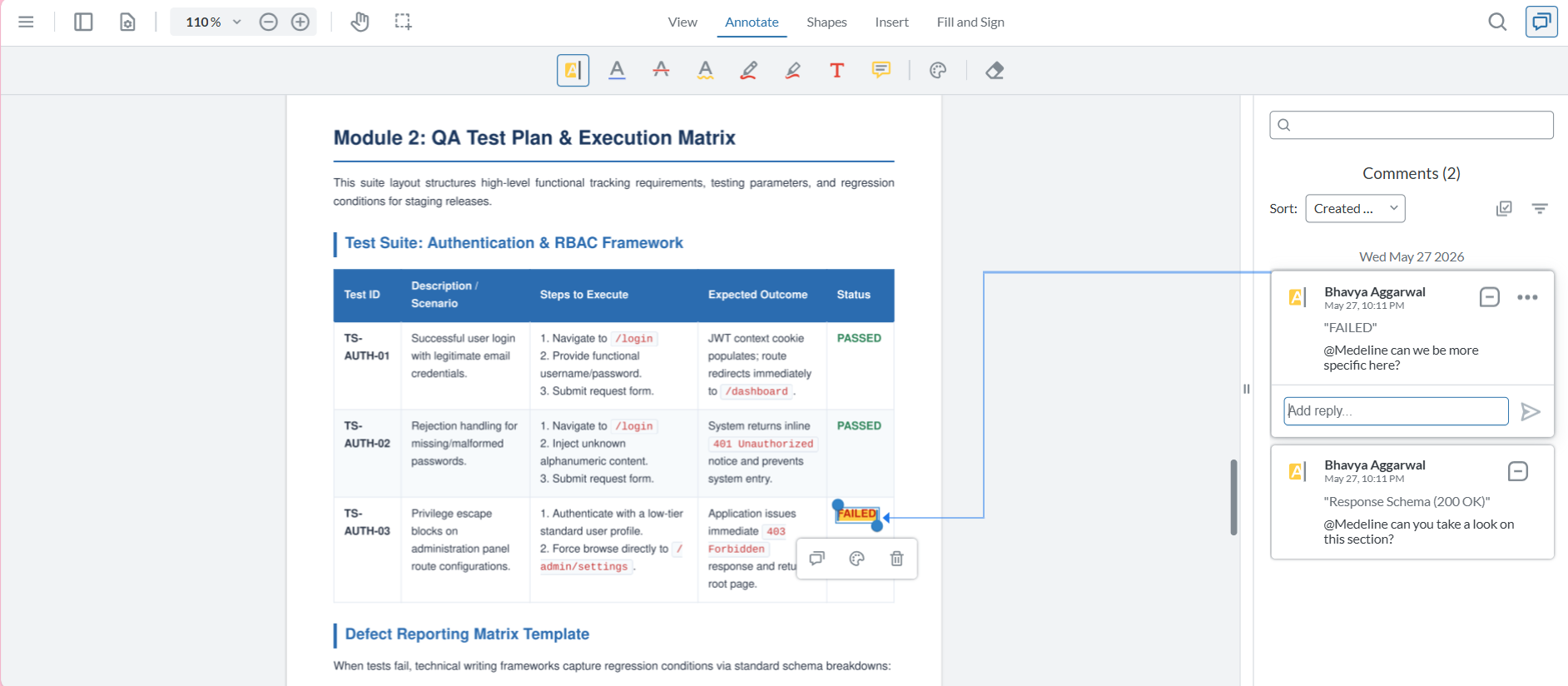
Equip your QA team with visual markup tools that capture feedback directly on the staging canvas. When a tester highlights a UI breakdown or functional error, the system should automatically generate a trackable issue that appends critical metadata—including the exact URL path, screen resolution, browser type, and deployment version string.
Frequently Asked Questions (FAQ)
What happens to active bugs and annotations if a new staging version is uploaded mid-test?
Historical context is never lost. When a developer deploys a fix and pushes an updated staging version, you can use the "Upload New Version" feature directly inside the asset profile. This stacks the new iteration on top of the old one, securely archiving all previous code annotations, visual markups, and conversation histories into an immutable version ledger for compliance and regression auditing.
How do Guest Reviewers access the staging environment without a zipBoard account?
To eliminate access friction for external stakeholders, product managers, or cross-functional SMEs, you can generate a secure, external-facing share link. This link opens a "no-login" review session where guests enter the live staging environment canvas instantly in their browser. They can log visual bugs and view the latest build version immediately, no profile setup or password retrieval required.