
Why We Require Email Validation & How to Complete It
Understanding Email Validation
When you sign up for zipBoard or accept a project invitation, we ask you to verify your email address before continuing. This quick step helps us protect your account and keep the platform safe for everyone.
🔐 In this guide, we’ll walk you through what this screen is, why it’s appearing now, and how this simple step acts as a powerful shield for your personal information.
Why we verify emails
We require email validation for three simple reasons:
- Protect your account
Verification confirms that you control the email address used to create your account. This prevents others from signing up using your address.
- Ensure you receive important updates
zipBoard sends notifications about reviews, comments, approvals, and project activity. A verified email ensures you don’t miss critical collaboration updates.
- Enable secure account recovery
If you ever forget your password, a verified email allows us to safely restore access.
Why you might see the validation screen
If your email hasn’t been verified yet, you’ll see an Email Validation Required screen when you sign in.
This simply means we’re waiting for you to confirm your email address before granting full access.
We require validation for all new accounts to help prevent misuse and keep zipBoard secure for all users.
How to verify your email

Step 1 — Sign up or accept an invitation
After creating an account or accepting an invite, we send a verification email to the address you entered.
Step 2 — Check your inbox
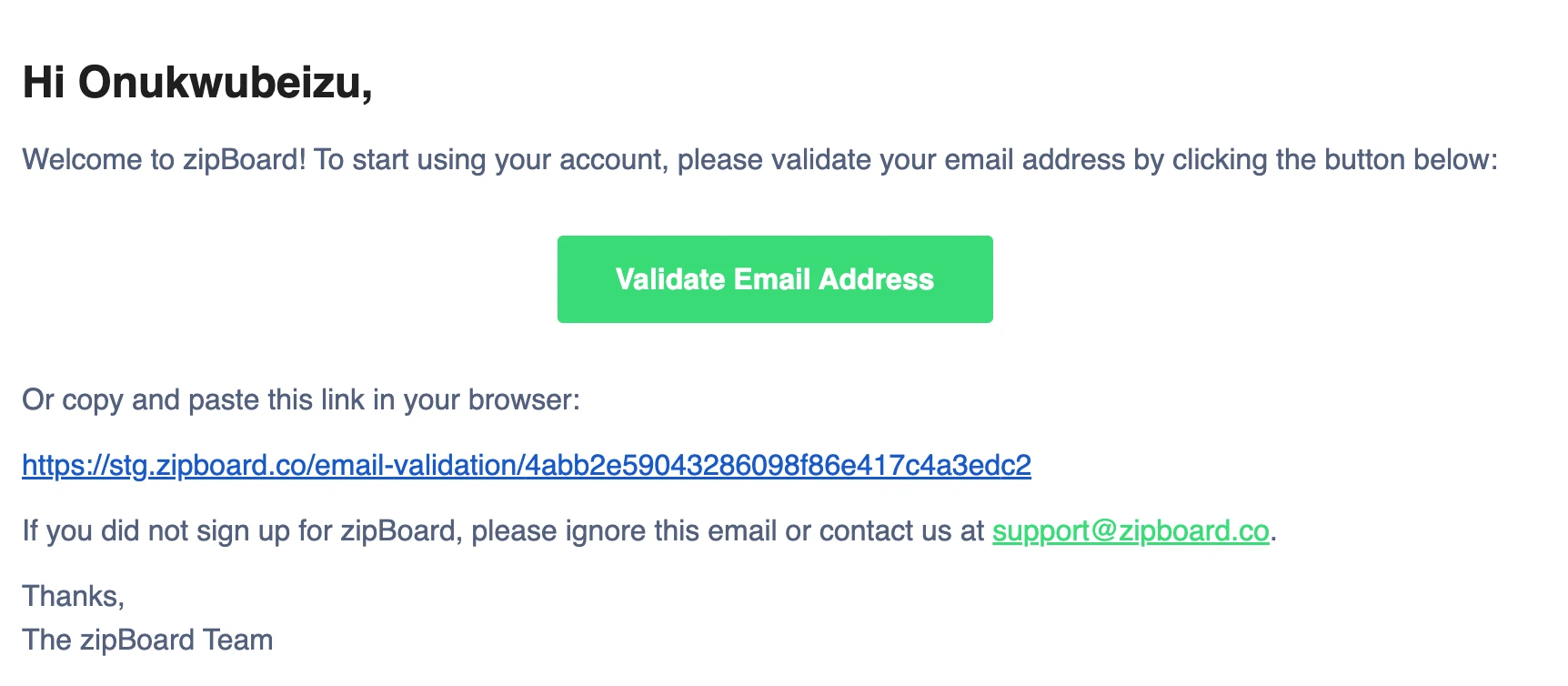
Look for an email from zipBoard with a subject like:
“Verify your email address”
💡 Tip: If you don't see it in your primary inbox, check your Spam, Junk, or Promotions folder. Corporate email systems and filters sometimes route automated emails there.
Step 3 — Click the verification link
Open the email and click the verification button. Once confirmed, your account is activated.
Step 4 — Start using zipBoard
You’ll now have full access to your account and projects.
Troubleshooting
❓Didn’t receive the email?
- Check Spam or Junk folders
- Wait 1–2 minutes
- Click “Resend verification email”
- Confirm your email address was entered correctly
If your organization uses email filtering (e.g., Mimecast, Proofpoint, Barracuda), ask IT to allow emails from zipBoard.
❓Signed up with the wrong email?
Create a new account using the correct address, or contact support.
❓Still stuck?
Email support@zipboard.co with:
- your email address
- approximate signup time
- any error message
We’ll help you get verified.