
How to Sign In with the SSO
zipBoard supports Single Sign-On (SSO) for Enterprise accounts. Once your organization has enabled SSO, click Corporate sign-in on the zipBoard login screen and sign in with your existing corporate credentials instead of a separate zipBoard password.
For an overview of how zipBoard protects your data, see Security at zipBoard.
Does zipBoard have Single Sign-On (SSO)?
Yes. zipBoard supports Single Sign-On (SSO). It is currently available only for accounts with Enterprise access.
If you would like to use SSO for your organization, contact us and we can help you set it up.
How to sign in with your SSO
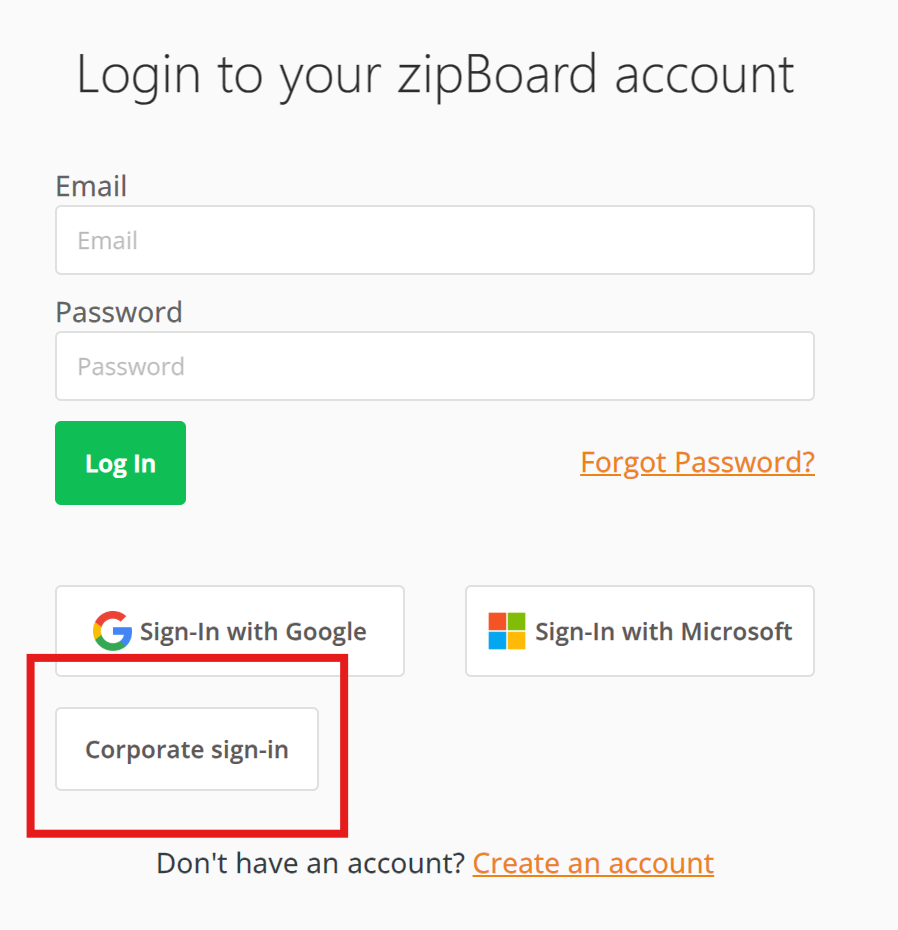
- Visit your custom URL: Go to the zipBoard landing page.
- Select corporate login: On the login screen, click Corporate sign-in.
- Authenticate: You are redirected to your company's standard login provider (such as Microsoft, Google or Okta). Enter your work credentials.
- Access projects: After a successful login, you are redirected to your zipBoard Projects dashboard.
Troubleshooting
If you have trouble logging in, check the following:
Redirect loops or errors
This usually means there is a configuration mismatch in the Email Attribute Mapping. Ask your IT team to confirm that the attribute name sent by your identity provider matches the one configured in zipBoard.
Login successful, but "Access Denied"
Check that the email address on your account matches the domain configured during your organization's SSO setup.
Frequently asked questions
Can I access zipBoard if I am working remotely or off-network?
Yes. SSO relies on your company's identity provider, so you can log in as long as you can authenticate with your company's login page.
What happens if I am locked out of my corporate email or account?
Your zipBoard access is tied to your corporate account, so contact your company's IT helpdesk to regain access.
Does SSO change which projects I can see?
No. SSO only changes how you log in. Your access permissions, project visibility and role in zipBoard stay the same.