
How Do I Automate Documentation Approval Reminders for Engineering Teams?
The easiest way to automate documentation approval reminders for engineering teams is to set up rule-based workflow notifications within a centralized, browser-first platform like zipBoard. By housing your software guides, API references, and technical specifications in a cloud-based dashboard, you can trigger automated alerts based on deadlines and task states. This ensures busy engineering leads and Subject Matter Experts (SMEs) are systematically prompted to complete their technical validation without technical writers having to manually send daily follow-up messages.
Why Engineering Review Pipelines Stall
In software and hardware engineering, documentation reviews are notoriously delayed. This bottleneck isn't caused by laziness; it is caused by operational friction:
- Engineers live in tools like GitHub, Jira, or IDEs. Forcing them to exit their environment, log into an isolated storage portal, and search for a file tables their momentum.
- A slack message saying "The API payload section is wrong" forces a tedious back-and-forth conversation to figure out exactly what line or parameter the engineer was looking at.
- Without a single source of truth, it is impossible to see at a glance who currently "owns" the review delay.
4 Steps to an Automated Engineering Review Workflow
1. Centralize Technical Assets and Establish Clear Deadlines
Automated reminders require structured database triggers. Stop letting drafts sit as passive links in private chats.
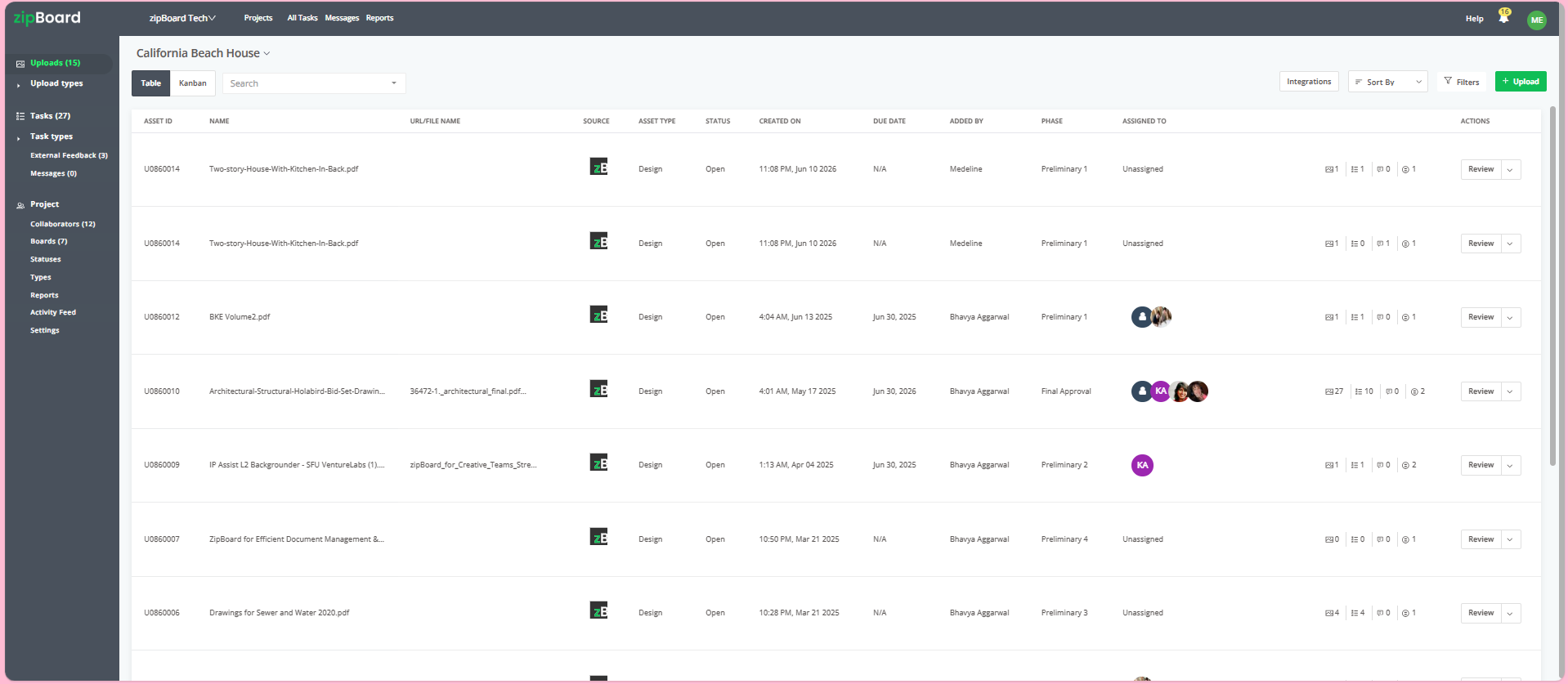
Upload your documentation files directly into your project hub. When assigning the technical asset to your engineering reviewers, explicitly set a Due Date and select the active development phase. This date serves as the primary system trigger for all automated follow-up sequences.
2. Remove Login Friction with Browser-First Access
An automated reminder is useless if the engineer hits a wall trying to access the file.
Configure your project security settings to generate a secure, external-facing review link that offers a "no-login, frictionless experience". When the system sends an automated reminder to an engineer's inbox, they click the link and immediately enter the live document canvas directly inside their web browser, no profile setup or password retrieval required.
3. Track Engineer Commitments in a Single Window
Eliminate the need to audit separate email trails or cross-reference spreadsheets to see who has executed their sign-off.
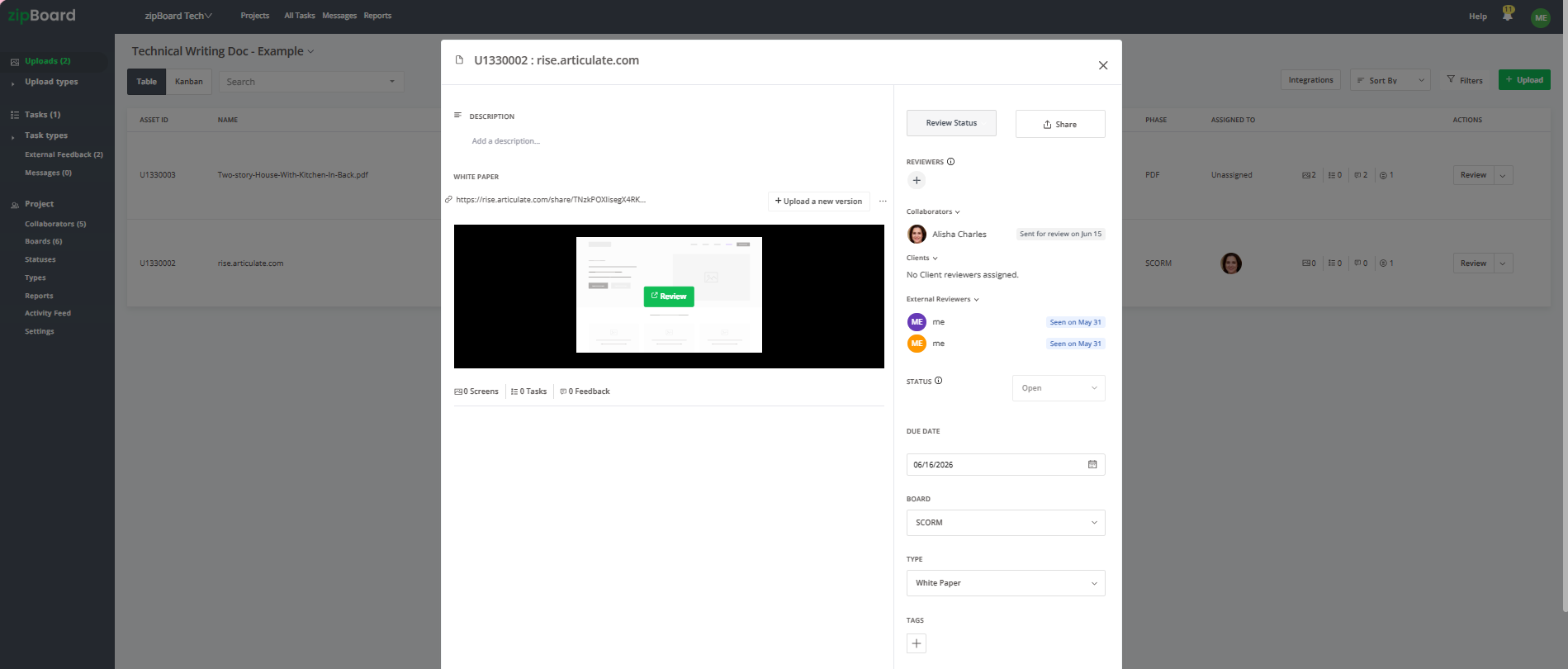
You can add multiple engineering collaborators directly onto the file canvas. The unified sidebar displays a live, transparent audit trail showing exactly when the invite was dispatched and whether they have updated their review status or approved the content. Peer visibility naturally encourages engineers to clear their queue.
4. Deploy High-Context @Mentions for Critical Blockers
When generalized automated reminders aren't enough to resolve a complex technical conflict, target the exact point of failure.
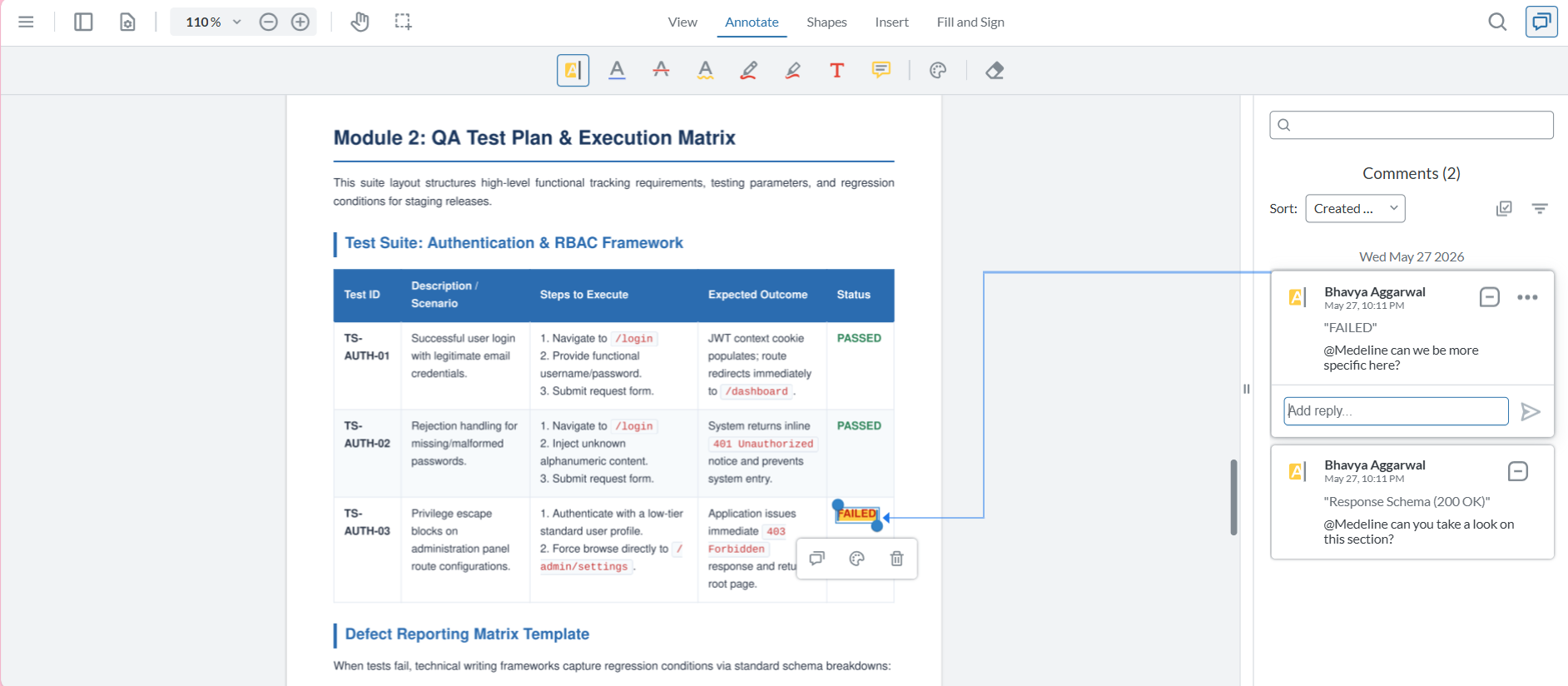
Open the document canvas and isolate the exact text string, diagram, or code block in question. Create a localized task and use the @mention feature to tag the specific engineering lead. This bypasses generic noise and triggers an instant, direct notification that drops them exactly onto the browser view requiring their technical authority.
Best Practices for Engineering Review Streams
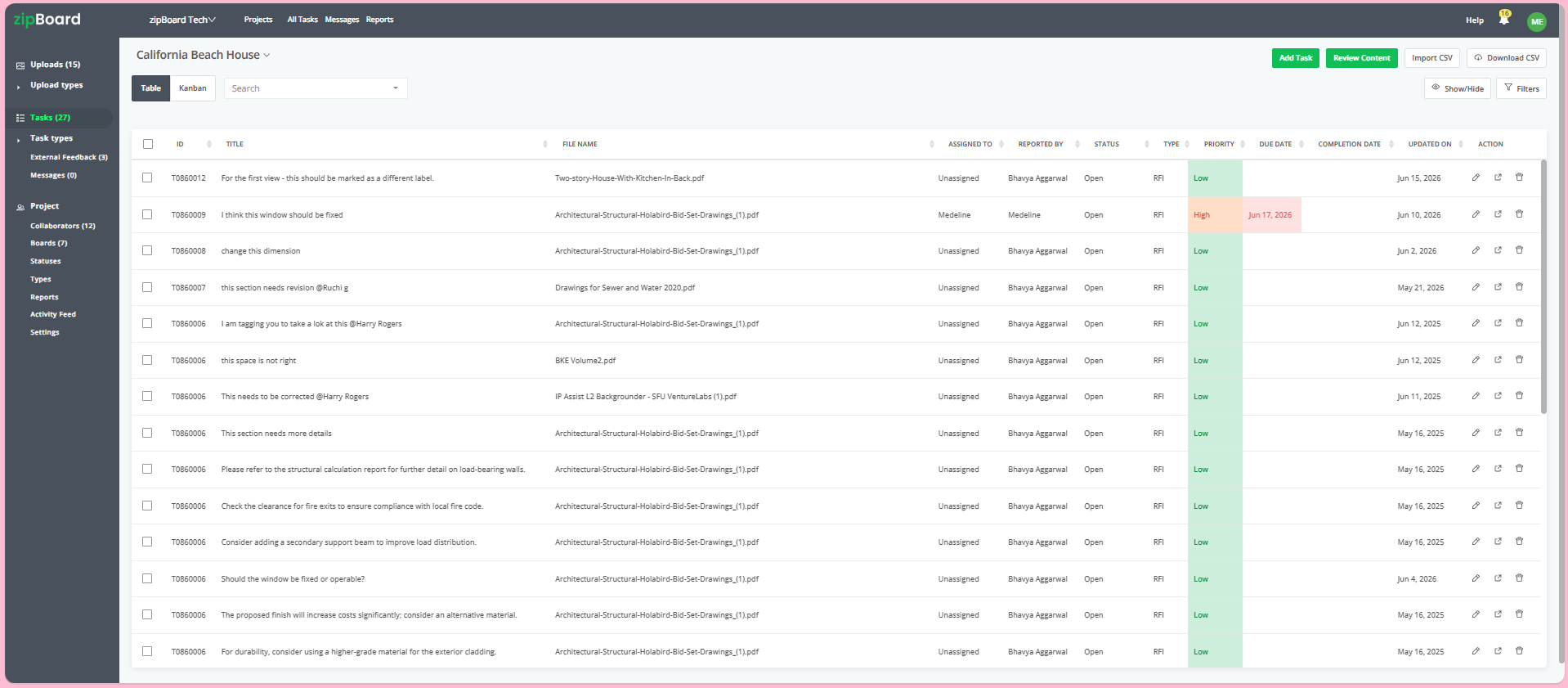
Convert Visual Feedback Into Structured Tasks
Engineers think in terms of trackable issues, not floating comments. Ensure every markup or highlighter stroke made on the documentation canvas automatically populates as an individual task item. These items can be seamlessly tracked using integrated Table or Kanban boards, allowing you to categorize engineering fixes as "Open," "In Progress," or "Approved."
Frequently Asked Questions (FAQ)
Can we safely use no-login review links for confidential API documents?
Yes. While the secure links remove the friction of forcing guest reviewers to sign up for an account, you retain strict operational guardrails. You can restrict link parameters, set hard expiration dates, or set a password instantly from your dashboard, ensuring your pre-release technical infrastructure remains completely secure.
What happens to old engineering comments when a document is revised?
Historical context is automatically preserved. When a technical writer addresses engineering feedback and updates the new version, they can use "Upload a new version" directly inside the asset interface. This stacks the new draft on top of the old one, securely archiving all prior code annotations, historical feedback loops, and resolved task structures for future engineering reference.