
How do I let a client mark up a drawing without making them create an account?
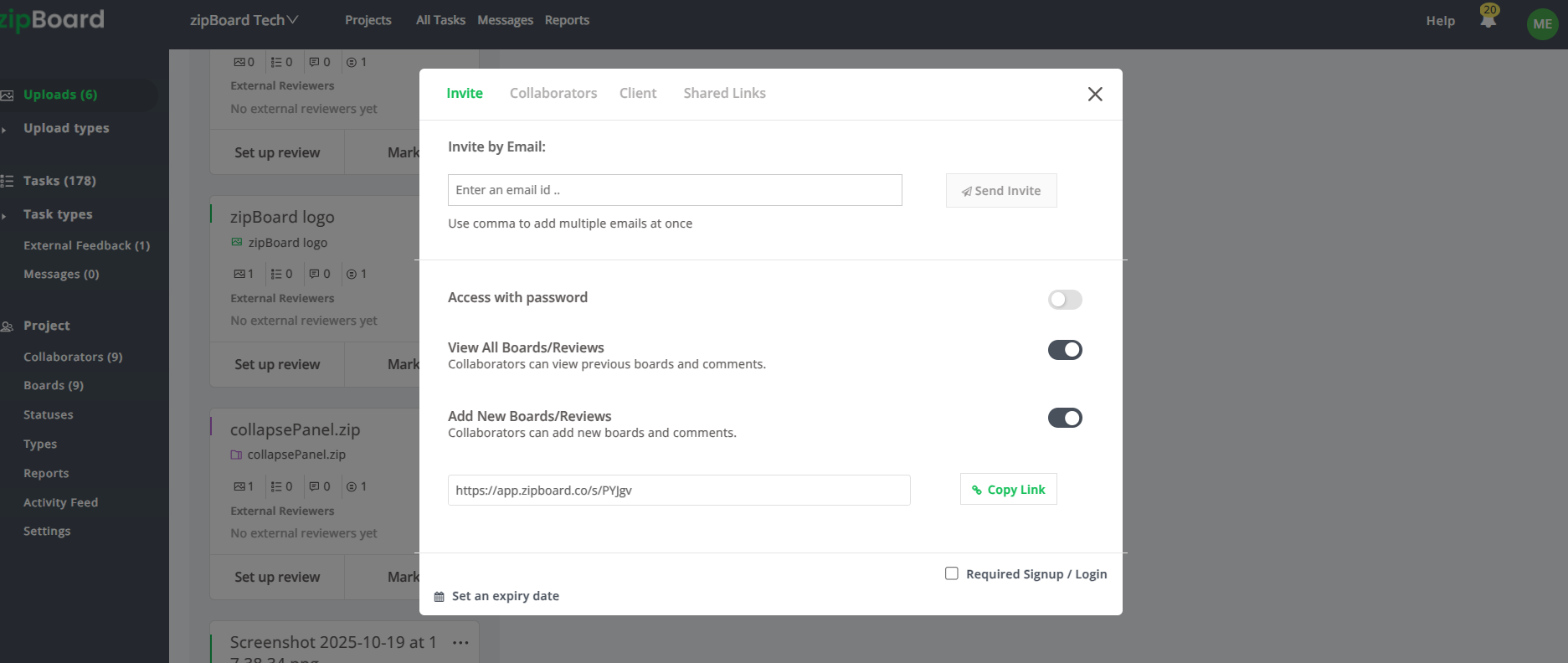
You can allow a client to mark up a drawing without forcing them to create an account by using "Guest Reviewer" in zipBoard. By sharing a direct link to the content, the client is prompted only to enter their name (to attribute their feedback). Once inside, they receive a simple, intuitive toolbar that allows them to highlight, draw, annotate, and comment directly on the asset. This approach removes the barrier of registration, significantly increasing client participation rates while keeping the feedback process organized.
How to Enable Frictionless Guest Reviews
Client resistance to software often comes down to one thing: "I don't have time to sign up for another platform." To solve this, you need a workflow that prioritizes their immediate access to the work.
1. Share via Direct Link
Stop sending generic project invites.
- The Action: Use the direct sharing feature to send a link to the specific file.
- The Benefit: When the client opens the link, they aren't asked to build a profile or set a password. They simply provide their name and email so you can track who said what.
2. Optimize for "Browser-First" Access
Forcing clients to install software or plugins is the fastest way to get them to abandon the review.
- The Action: Use a browser-based review tool that allows them to jump straight into "Browse Mode" to interact with the file as if they were an end-user.
- The Benefit: This provides a seamless, high-fidelity experience that works immediately upon clicking the link.
3. Provide an Intuitive Markup Toolbar
If the review tools aren't self-explanatory, the client will call you for a tutorial.
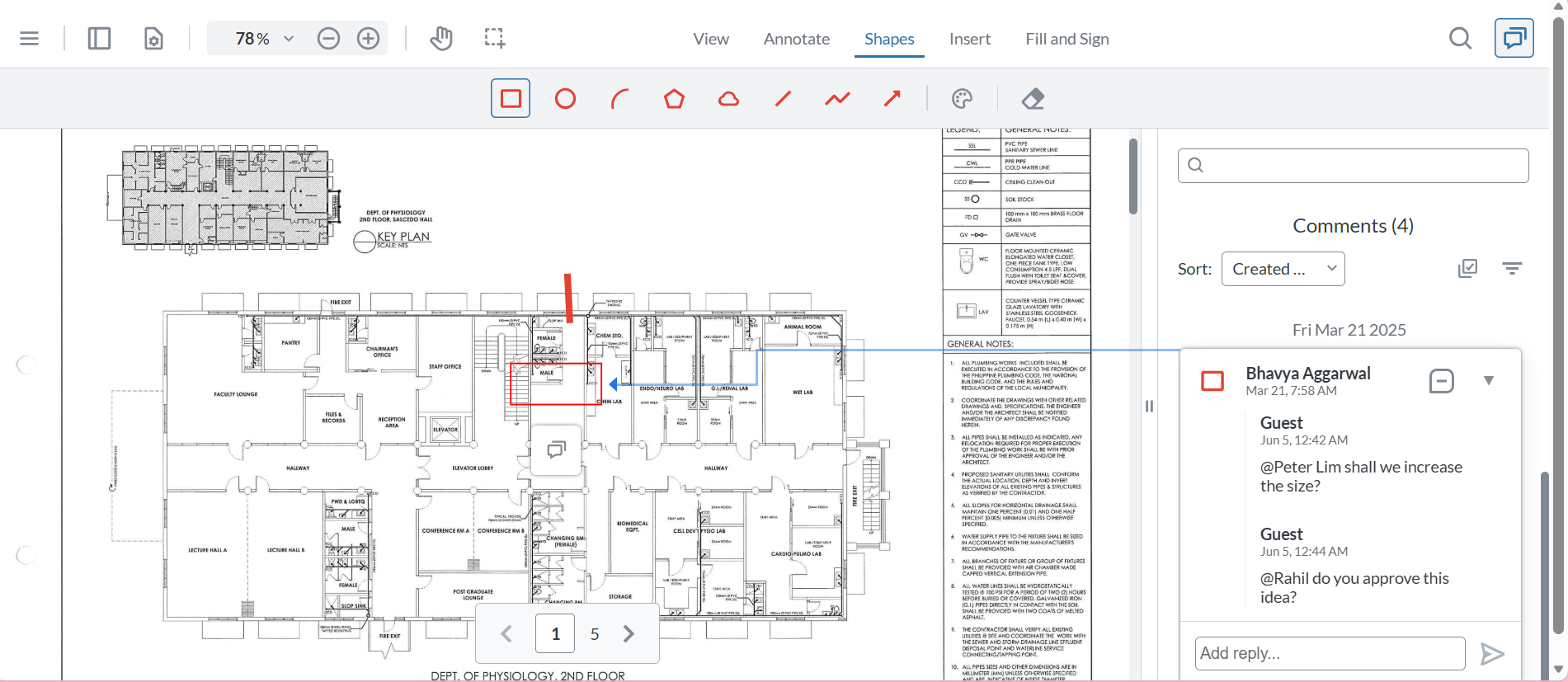
- The Action: Ensure your review interface provides clear, visual tools, like pencils, arrows, rectangles, and highlighters, directly on the screen.
- The Benefit: The client can intuitively "draw" their concerns on the screen. For every annotation made, the system should automatically capture a screenshot, ensuring your team sees exactly what the client saw when they made the comment.
4. Allow Real-Time Task Management
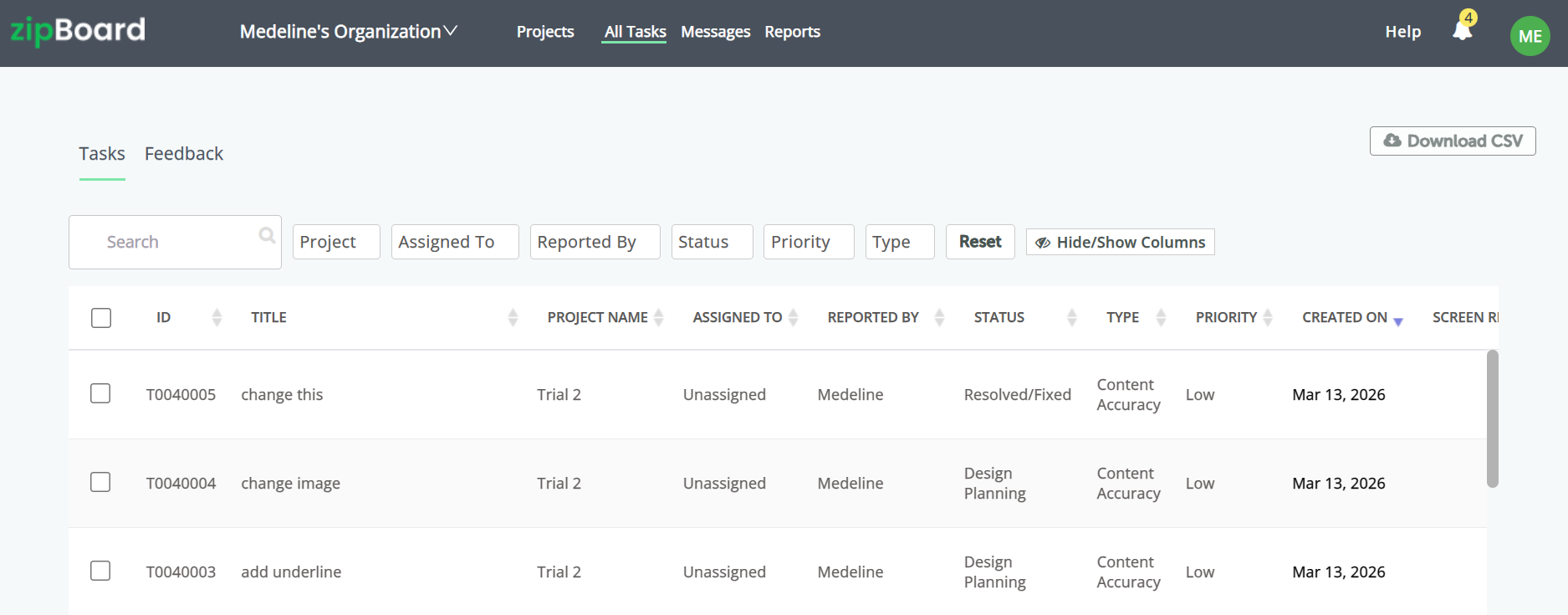
Clients should not just leave comments; they should be able to see their own feedback as part of a task list.
- The Action: Encourage clients to use the "Taskbar" view.
- The Benefit: They can review their own comments, delete erroneous markups with an eraser tool, or trash comments they want to retract, giving them a sense of control over their feedback.
Best Practices for Client Reviews
- Device Testing: Use "Device Mode" to let clients see how the content looks on various screens. This is a "wow" factor for clients that builds confidence in your work without requiring them to do any technical heavy lifting.
- Clear Attribution: Even though they don't have an "account" in the traditional sense, always require the name/email entry at the start. You need to know who provided which piece of feedback to avoid confusion during the implementation phase.
- Keep the UI Clean: If you are the one setting up the link, ensure you haven't cluttered their view with unnecessary administrative features. Keep them focused on the content and the feedback tools.
Frequently Asked Questions (FAQ)
Can I see the screenshot of each new task?
Yes. Every time they add a markup, whether it's a pencil stroke or a rectangle, the system captures a screenshot and attaches it to the task. You will have a perfect visual record of their specific view and feedback.
What if they make a mistake and draw in the wrong place?
The system is built with a simple "Eraser" tool and a "Trash" icon for comments. Clients can easily remove their own markups or delete their own comments without needing your intervention, which reduces the "how-to" questions you receive.
Can the client review on mobile or tablet?
If the platform is browser-based, they should be able to access the review link from any device. Encourage them to test the file on the device where they expect their users to be, as this often leads to better, more proactive feedback.