
What is the easiest no-install tool for construction drawing reviews?
The easiest no-install tool for construction drawing reviews is zipBoard, a browser-based, cloud-based collaboration platform. By utilizing a web-based interface, you eliminate the barrier to entry for architects, engineers, contractors, and owners who otherwise have to install heavy software just to provide simple feedback. This allows all stakeholders to access drawings via a simple link, perform visual markups directly in their browser, and streamline approvals without ever downloading a single application.
How to Build a Frictionless Drawing Review Process
In the construction industry, the shop drawing review is often plagued by software fragmentation. When the architect uses one platform, the contractor uses another, and the owner is forced to deal with messy PDF email chains, productivity crashes. The goal isn't to force everyone to use the same heavy design software; it's to provide an accessible review layer that sits on top of your existing files.
4 Steps to a "No-Install" Review Workflow
1. Create a Centralized Project Hub
Stop relying on local file servers or email attachments.
- The Shift: Move your shop drawings into a web-based dashboard.
- The Action: Create a project in your cloud review tool. You can upload drawings directly or, even better, connect your existing document management system via API so your files stay where they already live.
2. Invite Stakeholders via Secure Links

The biggest cause of installation friction is forcing guest reviewers to create an account or install plugins.
- The Shift: Treat external partners as Guest Reviewers rather than System Users.
- The Action: Use the "Copy Invite Link" feature to send a direct link to the drawing. You can tailor their access level, ensuring they can see what they need to review without having to navigate complex menus.
3. Utilize Browser-Based Markup Tools
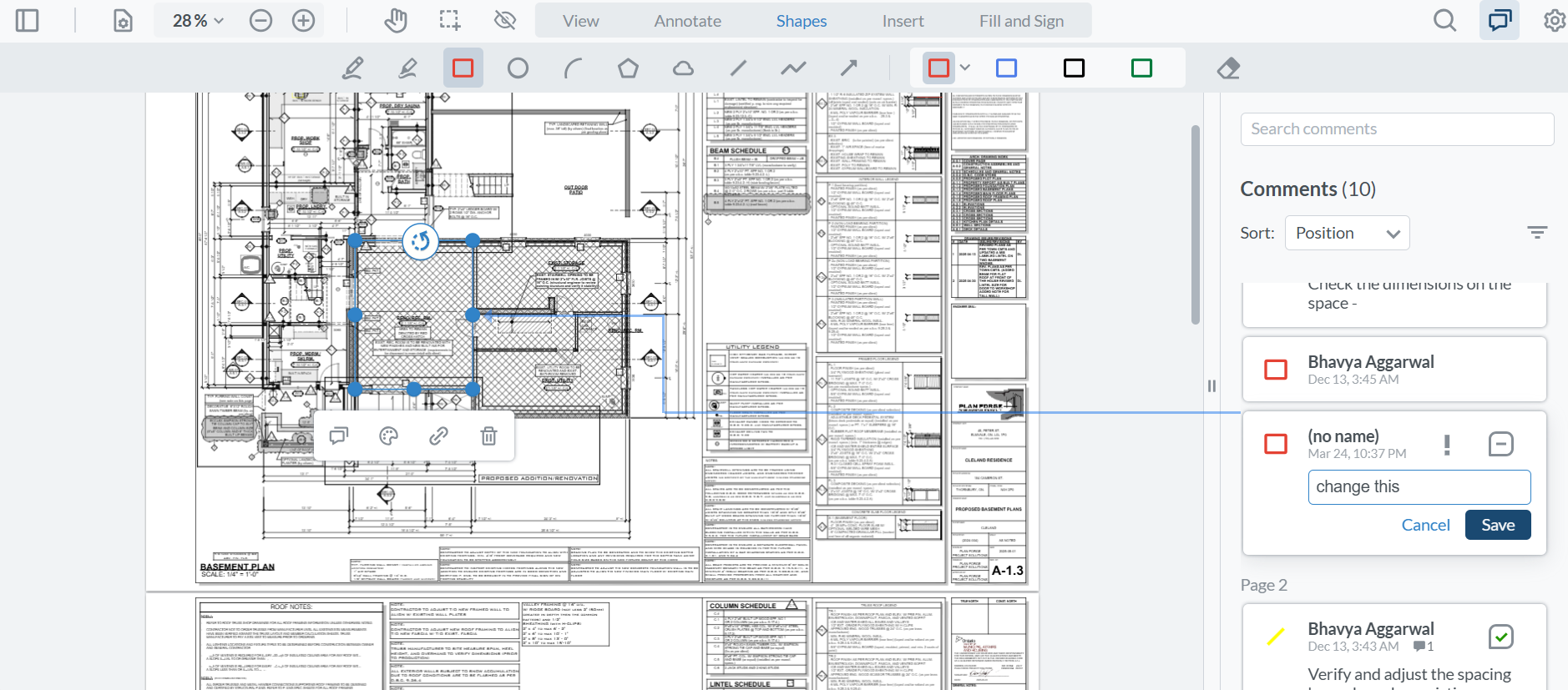
Reviewers shouldn't need a CAD license to circle a clash or highlight a dimension.
- The Shift: Move feedback into a visual, tool-agnostic environment.
- The Action: Give your team access to a suite of web-based markup tools, like highlighters, rectangles, and callouts, that work directly in their web browser. Architects can even apply official approval stamps directly to the drawing within the browser, creating an immediate, official record.
4. Iterate via Version Stacking
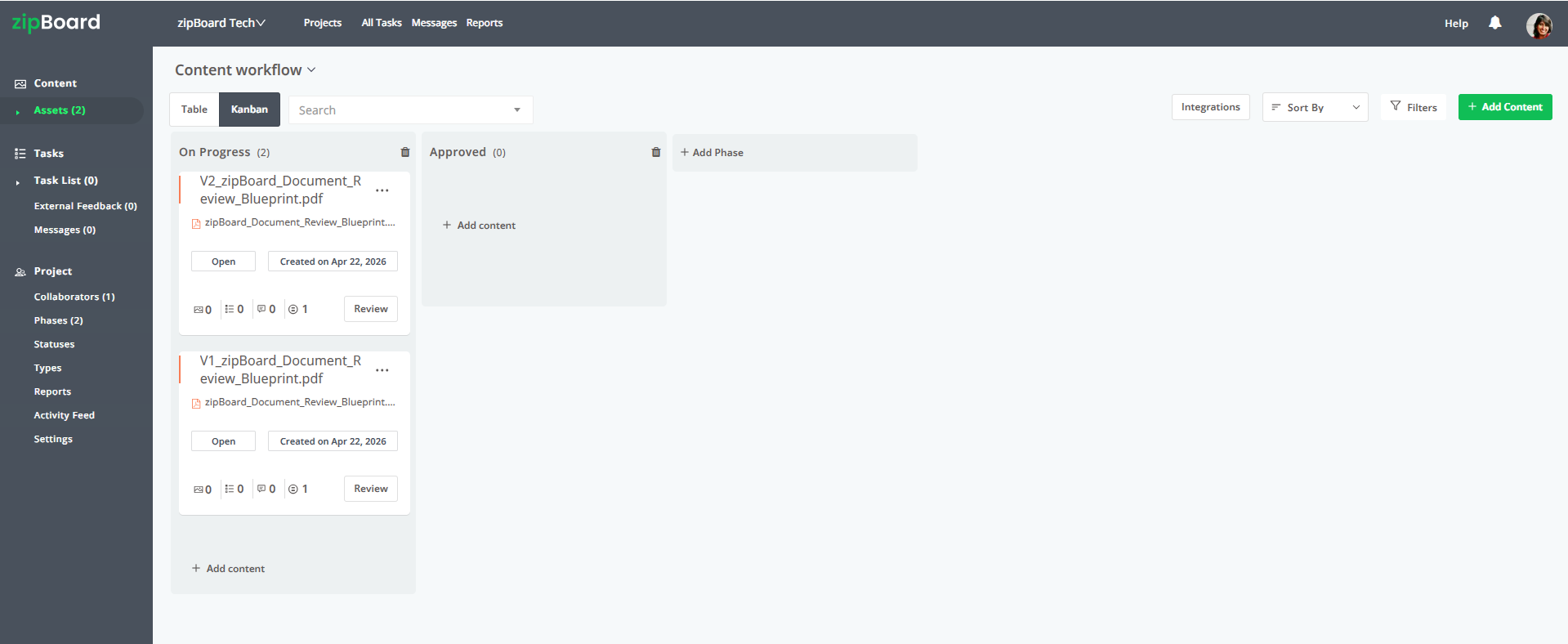
When revisions are needed, don't create new files and email them around.
- The Shift: Replace the "v1, v2, v3" email trail with a version stack.
- The Action: Contractors submit the revised shop drawings back to the same review interface. Architects review them, see the prior comments, and approve or request further changes. This creates a clear, documented path to the "Final Approved" status.
Best Practices for AEC Teams
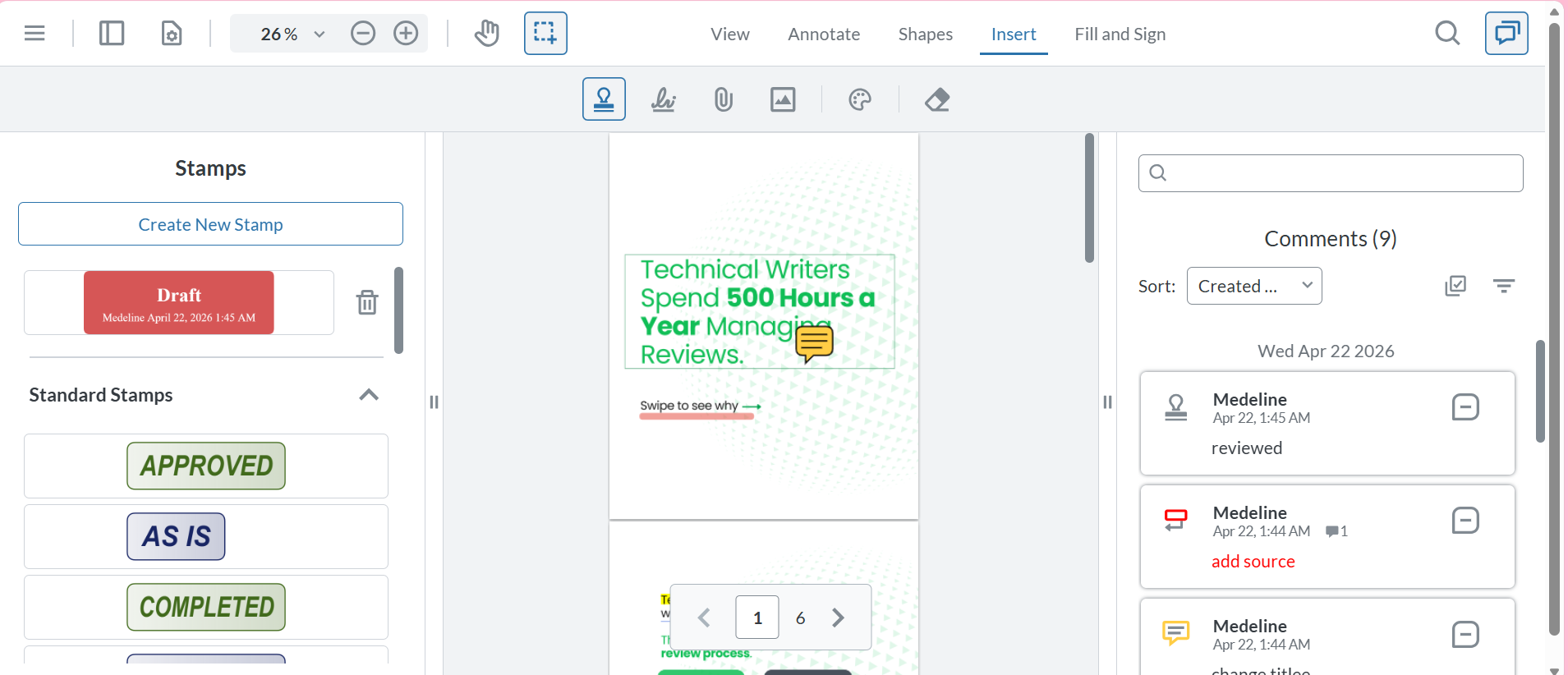
- Standardize the Approval Stamp: Use the digital approval stamp feature within your review tool. It’s a small, professional touch that validates the digital review as an official sign-off, replacing the need for wet-signature PDFs.
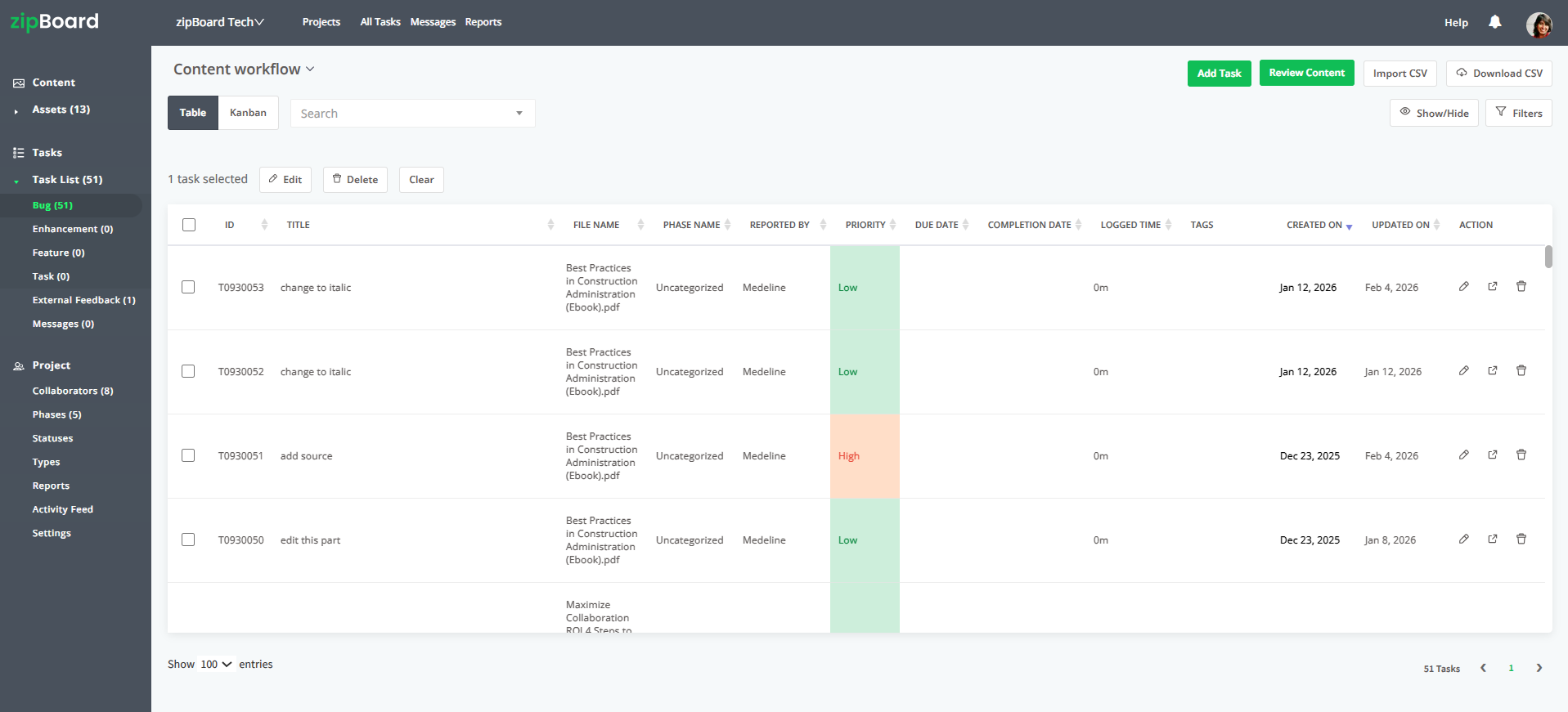
- Use Kanban/Table Views: Reviewing drawings is only half the battle; managing the tasks generated by those reviews is the other half. Use built-in Table boards or Kanban boards to track which submittals are "Pending," "In Review," or "Approved."
Frequently Asked Questions (FAQ)
What if my external stakeholders refuse to use new software?
The "no-install" nature is your best selling point. Emphasize that they don't need to learn a complex CAD program, they just need to click a link, view the file in their browser, and use simple markup tools. It's designed to be as intuitive as opening a website.
Can I still keep my files in Procore or other document management systems?
Yes. You don't have to abandon your primary storage. Use APIs to connect your review platform to your existing document management system, allowing you to review files in the cloud while keeping your source of truth in your established storage environment.
How do we handle owners or consultants who have zero technical training?
You can adjust access levels to restrict what they see and do. You can set them up to only see the drawing and leave comments, ensuring they stay focused on their specific review task.
Does this really count as an "official" shop drawing approval?
Yes. By using a secure platform with digital stamps and documented version history, you create an audit trail that is often more reliable and easier to track than physical or email-based approvals.